Get Internet while on a remote dig.
Our open source guide combines reliable internet from space, batteries, and solar panels so you can have a remote zoom call, access critical databases, and record findings while off grid. Even keep your laptop and other devices charged.
Mobile Internet Station Components
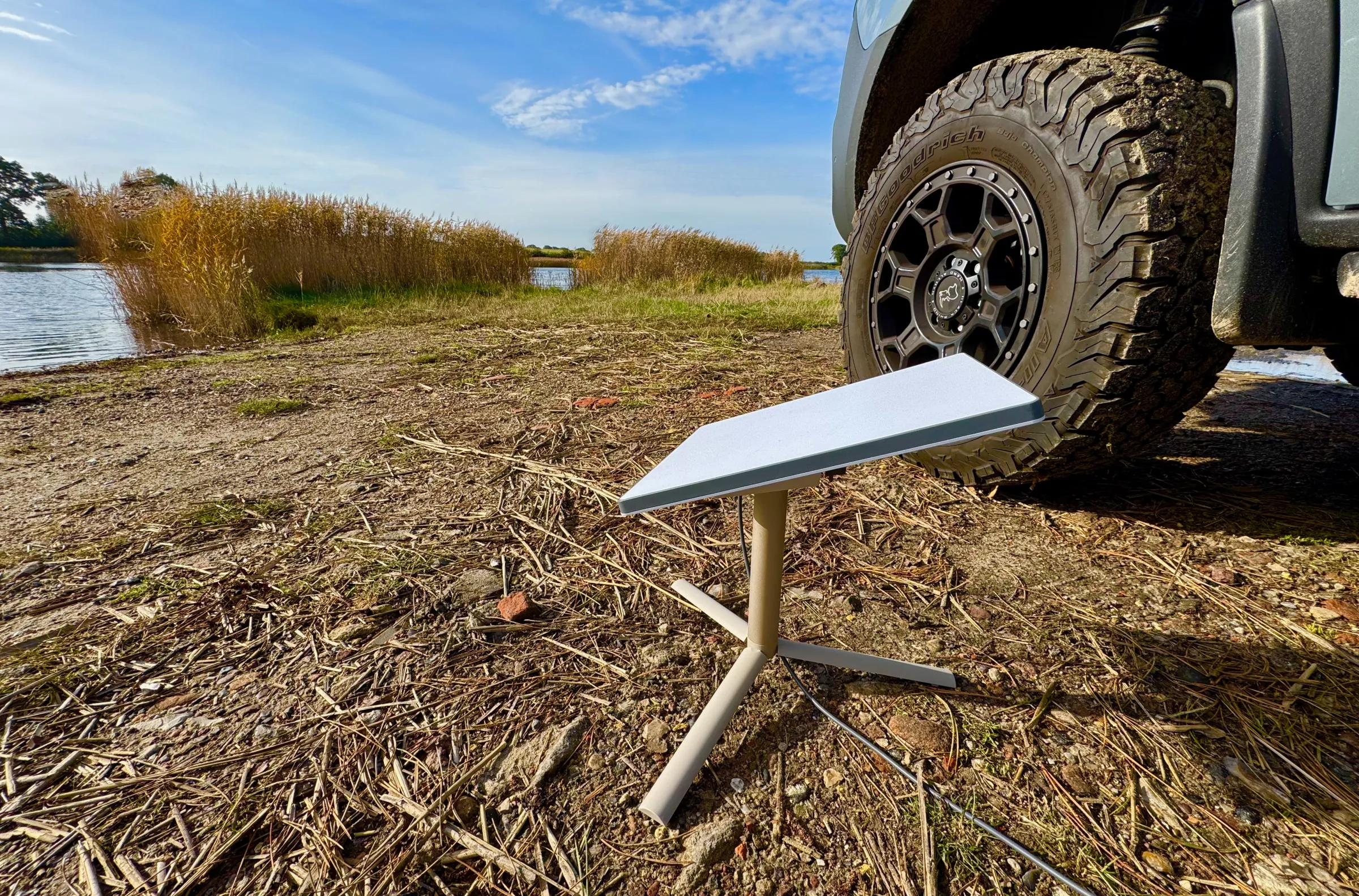
Starlink Mini
This is the core of what gives you reliable internet from space. This draws on average about 30 watts of power.
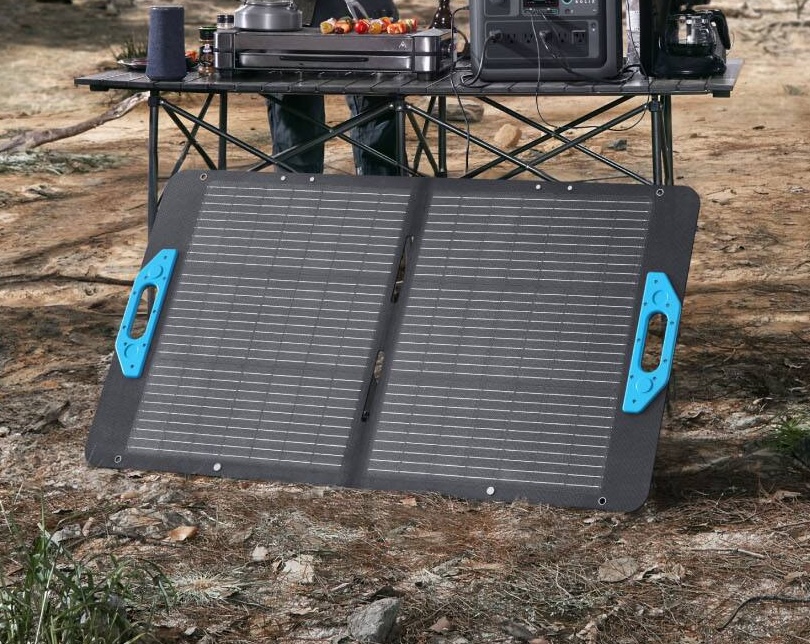
Solar Panels
These help keep power flowing for your Starlink Mini or other devices and can charge your power station.
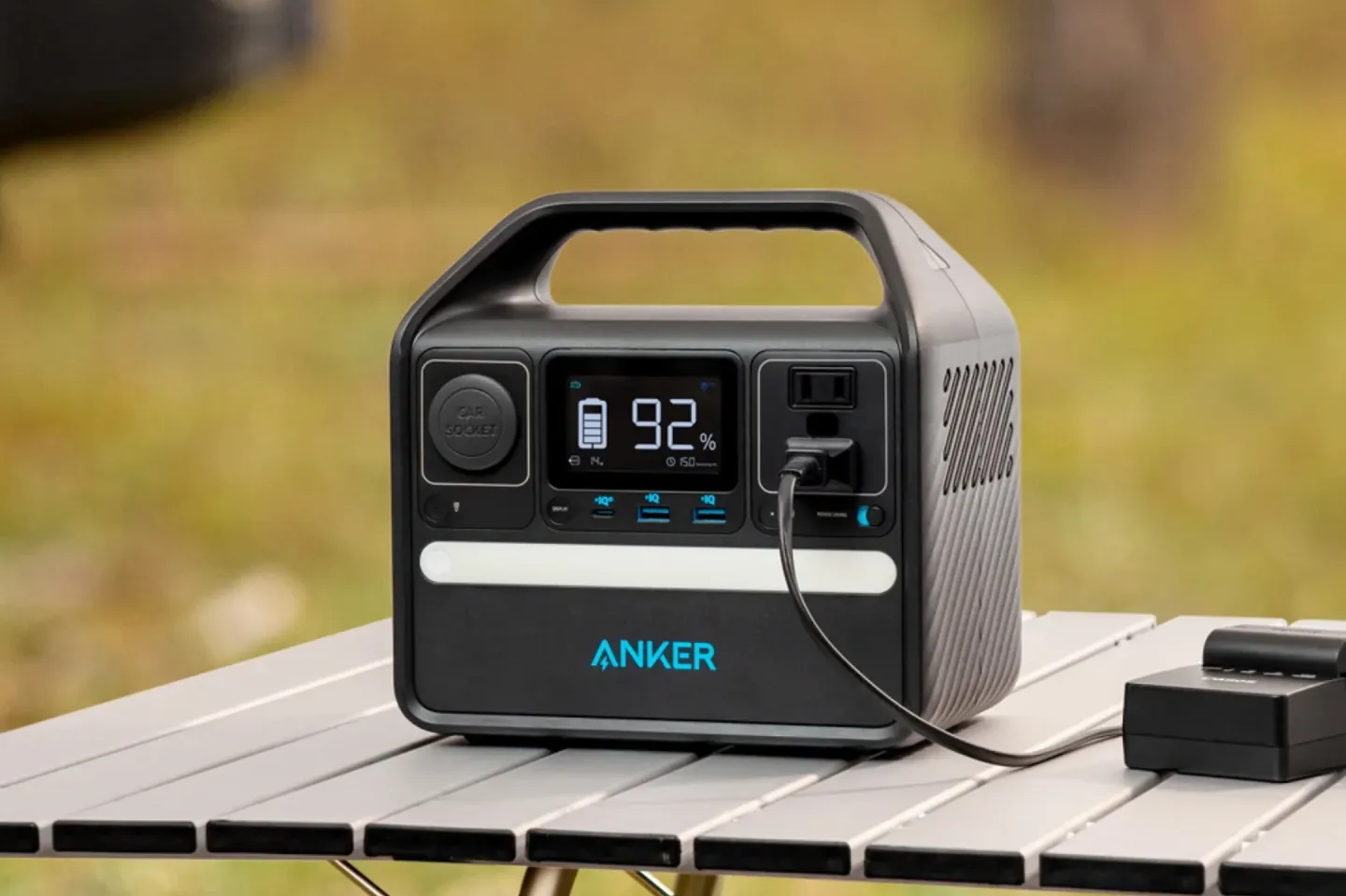
Power Station
These batteries are needed to even out the power from the solar panels so the Starlink Mini can keep running.
Things to Know
- From the Starlink Mini, you can expect speeds of around 100 megabits/second download and 20 megabits/second upload. This is enough for an HD Zoom call while you're out in the field.
- The Starlink Mini needs 120° of open sky to be able to find the sattelites.
- The Starlink Mini pulls 30 watts on average, but can be as low 15 watts and as high as 60 watts.
- Because you're often getting less than direct sun, we recommend at least 100 watt solar panels.
- To make sure you have enough power for the Starlink Mini throughout the day, we recommend at least 240 watt hours (30 watts × 8 hour work day = 240 watt hours).
- For teams who want more power, all brands have great options for larger power station capacity and solar panels that generate more power.
Battery Safety
- Power stations are made up of many battery cells. Cheaper battery brands can be dangerous and can catch on fire or explode (it's called thermal runaway). This also means they cannot be taken on planes (more than 160 watt hours), and they are very expensive to ship (Fedex told us $3,000 to ship from the USA to Europe).
- If you're worried about power station batteries being dangerous, there's good news! Solid state batteries are much safer and much less likely to catch fire or explode. Brands such as Yoshino are already shipping a 241 watt hour power station (our recommendation is over 240 watt hours). They cost about twice as much right now, but are lighter and much safer.
Buying Advice
-
Starlink Mini
You absolutely need a Starlink Mini. There's just no other option for getting reliable internet from anywhere in the world.
Buy this from SpaceX or a local vendor. In the US, you can buy this directly or buy from Target, Best Buy, or even Home Depot.
-
Power Station & Solar Panels
Typically, you'll want to buy the power station & solar panels from the same brand, as it's the easiest way to make sure the solar panels can charge the power station without an extra adapter.
Also, if you can find a power station in a specific brand in your region, you're probably going to be able to find matching solar panels too.
-
Brands to Buy
We recommend buying a power station / solar panel combo (also referred to sometimes as a solar generator) from Anker , Bluetti , Ecoflow , and Jackery . Generally, one of these brands is usually available no matter where you live in the world.
It's especially important to buy a known brand for the power station, as cheaper brands are known to explode more often.
Different Solar Connectors
If you're buying your solar panels and power station from different brands, make sure the solar panel output connect matches the power station. If they don't match, you'll need to find an adapter.
About Us
We are a First Lego League team from 4th to 7th grade in Northwestern Arkansas, USA. We spent so much time testing our Mobile Internet Station and writing this guide that it was like having a part time job.
We made this guide for the 2025-2026 FLL Unearthed theme. Our innovation project is designed to help archeologists get internet while on a remote dig.
Help us!
If you found this guide useful, please share it with others!
And please tell us your story of using this guide. Was it helpful? Do you have ideas for improvements? We would love to iterate and make things better!
Please send your story to fll@awesome.me. Thank you so much for helping us out!!!
Open Source
The code for this open source guide is hosted on GitHub. Please contribute changes so we can make things better!